25 Mayıs 2019 Cumartesi

The end of the Story


                                                        Hello my dear followers😍


This is my final blog post for Instructional Technologies and Material Designs course.At the beginnig of the course,actually I do not see the technology as very useful and easely applicable for teaching.  But now as I said one of my previous posts,I think that technology is a very powerful,useful and practical tool for teaching.Actually teaching with technology is a new issue for 21st century and ıt is becoming more popular by day by.When you look at the advantages of the teaching with technology,you can easily see a lots of advantages.By integrating technology into teaching you  can take advantage of it. I understood it very clearly by taking this course.Before taking this course,I did not use the technology very much for teaching,I did not think that technology could be used so consciously and correctly in teaching.But while taking the course I began to use technology more consciously and effectively as a tool for teaching.I learned using technology thanks to this course.I noticed that I am lack of the some technological knowledge and skills.I did not know the some important issue about the teaching with technology.But now I can say that I improved myself,my knowledge,my technology skills. What I like most about this course is that I have learned to use programs and websites that I have never heard before, and I have been able to produce something on my own when I use these programs.


The teacher was very positive and even explained the most difficult things in a simple language.Sometimes she gave us sources to create something that we learned in this course and showed some examples for them.She gave us information about the assignments and programs ,she never showed us how to doing these.I think this technique was very useful for us.Because we learned something by doing ourself.As students,we helped each other and we did some assignment together so that we learned to work as a group.The least thing I like about the course is that sometimes using the programs for assignment was complicated and at least I can say for myself that it took me a lot of time to do my assigments.Becuse I used most programs and websites  for the first time.But if I look at what I've learned in this course,this challenge is nothing for me.As I said before about me section,I opened this blog for this course but I hope I can keep blogging.Thank you for everything my dear followers.


                                                                                                       Goodbye for now...

                                                                                                 I wish see you next post😉


21 Mayıs 2019 Salı

RSS

                                                         
                                                             Hello my dear followers😍


Do you know what is RSS Feedreader?

Have you ever used RSS Feedreader or any online reader?


I want to talk about RSs Feedreader in this post.RSS Feedreader is a browser add-on program designed to gather and display RSS Feeds according to user-definable parameters.An RSS reader can reduce the time and effort needed to check online publications for updates.Using RSS is important to follows the blogs that you want.I used RSS to follow some blogs so that I can easily foolow whatever happens in these blogs.As you see above I shared the list of blogs that I follow.Maybe some of you already followed them,maybe some of you will start to follow them.


My favorite blog is The Londoner Blog.The Londoner is one of the UK's most popular blogs.Roise covers all thing lifestyle,from sharing recipes and style tips to chatting abour her dog while they explore LOndon.It is an engaging read with a mixture of complex sentences and detailed descriptions for intermediate english speakers.When you read this blog,not only you see different lifestyles but also you can develop your vocabulary knowledge.


See you next post😉


Web2.0 Tools


                                                     Hello my dear followers😍

I want to talk about my favorite Web2.0 tools in this post.Web2.0 tools can be used to enhance teaching and collaboration.Everyone use at least one Web2.0 tool.There is a lots of Web2.0 tools.You can choose one of them according to your purpose.For this post I created an infographic to inform you about my favorite Web2.0 tools.I am sure that some of you already use them maybe some of you will start to use them after reading my infographic.Before creating my infographic,I started to find a website to create it.I used Easelly website.You can create your own infographic on this website with free account.I chose my favorite web2.0 tools to create the infographic.Firstly I decided to which web2.0 tool I can write on the infographic,then I collected some information about them to share on infographic.I hope you like it.


                                                     Here is the Infograph


I could not add the original size of the infographic.Because the page don not allow this.

Please click HERE to see the original size.
   

                                                                                                                  See you next post😉


14 Mayıs 2019 Salı

Life starts with Desserts


                                                  Hello my dear followers,😍

 I want to talk about my first online poster experience in this post.Have you ever created an online poster for any purpose?Have you ever used an online poster for your homework?I used Canva website to create an online poster.I liked Canva because it supplies a lot of pictures,theme colors,different backgrounds  related to your poster topic.You can choose whatever you want.Some of them are paid but some of them are free.I chosed this topic and created an online poster like this.I love desserts and trying new recipes.Sometimes trying new recipes can results with a bad coclusion.But sometimes you can find new tastes.Just try and find your favorite desserts. 


                                                                                                                            See you next post😉


7 Mayıs 2019 Salı

Let's create a digital storytelling


İlgili resim
                                                                 taken from here

                                                 
                                                    Hello my dear followers😍


Have you ever watched a digital storytelling ?
Have you ever tried to create a digital storytelling?


I want to share with you ny first digital storytelling experience on this post.We created digital storytelling in pairs (me and Tuğba Aktürk).We decided to create a fictional story.Here is the link of the Tuğba blog's,you can also look at that.Actually creating a digital storytelling is easy if you have proper program and good story to create it.But we did not have a program to create it so we had difficulty finding proper source,we searched a lot of websites,programs to create a digital storytelling but most of the programs had no sound effect.Finally we found Toontastic program with the help of one of our friends and we downloaded the program to the phone.Then we start to create our digital storytelling.Also it was difficult to us writing an exciting fictional story.After writing an exciting script, we recorded our voice according to the scenes and shared it on youtube.I really enjoyed while creating a digital storytelling so I would like to give a similar task to my students in future,I think they like it very much.
                                                                                                                     
                                                                                                  See you next post😉


Click HEREto see our digital storytelling.I hope you like it.😇


23 Nisan 2019 Salı

Choose your ELT Website


                                       Click HERE to see the İSLCOLLECTIVE Website

Hello my followers😍I want to talk about my ELT website evaluation assigment in this post.I choosed the İslCollective Website as an ELT website.As you understand from the name of the website ,it gathers website context by collecting.The website consists of mainly two sections as grammer and vocabulary .Also you can find material type,level,students's type sections and there are also printables,projectables and videolessons sections.This website is free to use and it aims to provide English teachers with a variety of materials and lesson tasks to use in class.It allows English teachers to help other English teachers by sharing their own lesson activities on this website.People who learn English as a second language are the target audience The website also allows you to find the appropriate course content by the level and type of the student.(The website has 6 platforms for teaching of English,german,French,Spanish,Portuguese and Russian)

Let's look at the evaluation criteria of the website


1.Who authored the website?Is there any information about their qualifications or credentials? 

 The founders of this website are  Peter Laszlo,Adam Laszlo and Benedek Princz.They are language teachers.Actually there is  a community of language teachers from around the globe who share their home-made worksheets on this free to use website.They share their own lesson activities on this wesite.There is a communnity members.


→The List of some members.


2.What is the content of the website?

 The website is rich in view of content.It includes grammer topics,vocabulary section and material type section.For each section there are printables,projectables and videos that are prepared for these sections.According to your lesson topic and your material type you can find very different tasks on this website.


3.Who is the target audience?

 People who learn English as a second language are the target audience.Also there are level and students' type sections.You can find appropriate lesson contents choosing your students'level and learner's type.

4.What is the purpose of the website?

 The website aims to provide different teaching activities for free to other teachers and to help teachers share their own activities.It also offers a variety of materials for teachers to use while teaching vocabulary and grammer.


5.Is there a date that shows when the site has last been updated?

 There is no date showing the last update of the website.

6.Accuracy of the information-Are there any errors?

 The information on the website is accurate and there is no error.

7.Are there any broken links?

 There is no broken links on the website.


8.Are the images of high quality and appealing to the target audience?

 Yes,they are high quality and they are appealing to the target audience.

9.How can it be applied to EFL teaching?

 Depending on the subject and the content of the course, you can benefit from the grammar and vocabulary section of the website and you can find many different material types and videos to share with the students in the course according to your chosen subject.You can download free of charge somethings that are shared on this website such as videos,picture stories,boardgames,information gap activities etc  and use them as lesson activities fot your lesson


                                                                                                                           See you next post😉
.


14 Nisan 2019 Pazar

You should try It


padlet ile ilgili görsel sonucu
Taken from here
      
                                                             
                                                              Hello my dear followers😍


Do you know what is padlet?

Have you ever heard  the padlet?

Have you ever done any assigment on  padlet?


Padlet is an application to create an online bulletin board that you can use to display information for any topic. 


                                                             taken from here

I want to talk about  my first padlet experience in this post.For our padlet project we created a group of 6 people(Elif Beyza Ozan,Reyyan Hacer Hünerli,Emine Arslan,Gamze Erol,Tuğba Aktürk).A friend of us created a padlet and invited us.Firstly, we chose our padlet topic.There were two padlet project( a global/local problem or freedom).We chose Refugee problem as a global problem.There were some sections that we should do while doing our Refugee problem project such as describing the problem,sharing the causes and effects of the problem,sharing some public opinion and offering solutions to solve the refugee problem.We shared the each section among us.Then everbody started to research her section.After we finished our research ,we started to organize what we found and we started to write our research finding on padlet.Also we used some pictures and videos that related to our research topic.I will share with you our padlet link,I hope you like it and you want to try to padlet.

                                                                                                                            See you next post.😉

Click here to see my padlet project.

26 Mart 2019 Salı

WİKi


istanbul hatırası roman ile ilgili görsel sonucu
                                                    
                                                                     taken from here

          
                                                    Hello my dear followers😍


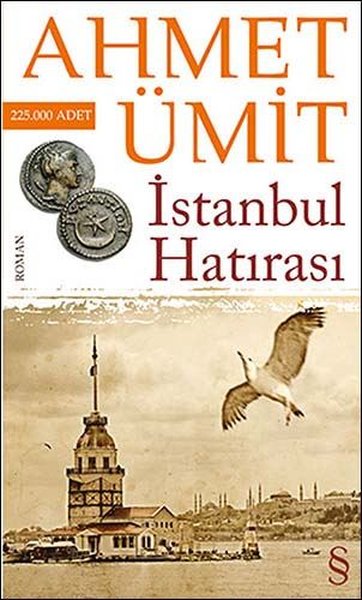
I want to talk about my first wiki experience in this post.I wrote something about A Memento For İstanbul (İstanbul Hatırası) that is a detective novel written by Ahmet Ümit on my wiki page.Maybe some of you read it before.Maybe some of you want to read it after looking  my wiki about it.Just go my wiki page and see what I did.

                                                                                                                      
                                                                                                  See you next post😉

     Click here you to see my wiki page

19 Mart 2019 Salı

Learn with Technology


İlgili resim
                                                                    (taken from here)

                                                     
                                                             Hello my dear followers😍

👉What do you think about technology?

👉Does technology effects learning?

👉What do you know about teaching with technology?


You know that technology always brings changes our lives.Just think for a minute.If you look at the your lives,you can easily see that you use many technological devices.For example,you use computer,television,telephone,notebook etc.You see,almost every area in our lives we use technology.Like other areas,education also effects from technology.We started to use technology while teaching something to someone or just for learning something for ourself.We started to use technology as a educational tool.I think teaching with technology is very useful both for teachers and studenst.We should use technology while teaching something  to our students or learners.Although teaching with technology has both advantages and disadvantages.

                                   
                           ADVANTAGES:


  1. Thanks to teaching with technology we can save the time.
  2. We can find many different sources about our teaching or learning topics,
  3. We can use different programs in order to organize our lessons,
  4. For students provides extra support and help resources.
  5. Brings some fun into the classroom. 
  6. Has the potential to lower textbook and tuition prices.
  7. allows teachers to create an exciting way to educate students


advantageous and disadvantageous of technology integration into education ile ilgili görsel sonucu
                                                                taken fom here
                                                     

                                                       DISADVANTAGES:


  1. Can diminish overall value of in-person education
  2. Partial to low income group of students.
  3. Students can be misguided by the wrong information.
  4. Can be difficult to deal with online resources.
  5. Students can acces to inappropriate content


  I think if technology is used correctly,then it will be very useful thing for education.Actually,I think that I should develop my technology skills in order to adapt 21st century teaching.İf I learn more thing about teching with technology and use my knowledge correctly and effectively,that time I can view myself as a equipped teacher candidate in the 21st century learning.I am definitely plannig to integrate technology into my teaching.Because I think that by using technology I can teach my lesson more effective and I think that student will be more interested in my lesson and they can spend funny time with my teaching method.Do some research about education with technology integration and see what is happening for this in the world.
     
                                                                                                                   
                                                                                                                            See you next post😉


Listen to me


                                                      Hello,my dear followers😍

Have you ever tried creating a podcast on your own or with someone else?

Have you ever listened a podcast in your english lesson or others?

Do you know what is Podcast?

Podcast:digital audio file made available on the Internet for downloading to a computer or mobile device, typically available as a series, new instalments of which can be received by subscribers automatically.


I want to share with you my first podcast in this post.Actually the process of creating a podcast was little difficult for me.😐Because I didn't know how to do it.But me and my partner Beyza made a plan in order to make the podcast correctly.Firstly we decided to the what we should do in order to create a podcast then we decided to create a story.after that we wrote the story together,we shared the roles and we added some sound effects to the podcast in order to make it more funny.We tried many times 😅while recording the story.Because sometimes we made mistakes ,sometimes we couldn't match our voice with the sound effect.That time was little boring and difficult for us.

But I think creating a podcast is very funny and exciting.You can listen your voice,you can create a song or story using by podcast.You try to be more successful and funny while making a podcast.I want to use podcasting with my students in the future.Because it is a funny,useful and actually easy program.I can use it in my lesson in order to make the lesson more effective or I can give the students podcast assigment so that they can both learn and spend funny time.I hope you like my podcast and you want to create a podcast.😇
    
                                                                                                                             
                                                                                                                       See you next post😉


     Click HERE to see my podcast

11 Mart 2019 Pazartesi

History of CALL


       Hello my dear followers😍


Do you know what is CALL?Did you hear that before?Let's talk about CALL in this post.

CALL is defined as "the search for and the study of applications on the computer in language teaching"Let's go past years.


 ➤ In 1960s-1970s the first phase of CALL has been termed Behaviouristic CALL.This was based on habit formation,CALL consisted mainly of practice programs.The purpose was repeating.Because repeated exposure to such material has been shown to promote language acquisition.
     

➤By the end of the 1970s-1980s Communicative CALL appeared.This was based on meaning-focused language use .Language teachers began to use write language learning software using programs suc as Hypercad.Programs consisted of language games,reading and writing practice,puzzle etc.


➤Mid 1990s Integrative CALL appeared.With the development of deskstops computers,rapid use of Internet and multimedia interactive CALL became more effective.İnteraction was regarded as essential for the creation of meaning.Multimedia language programs allow students to use a dictionary,study grammer,make translations etc.


      Not:Language programs and systems were developed in 1950.Linguists used computers to create concordances for text analysis.


      And today we are still using computers for language learning.By day by the using computers for language purposes are increasing.Computers have a important role in language learning if they are used correctly.We can use different computers programs for different language activities.For example,grammer ,vocabulary,writing,listening,reading,watching videos etc.


 How do you benefit from the computers while learning a language?


 I created a timeline to show you historical development of CALL.Please read it.


👉If you want to create a timeline like this ,you can use Easel.ly website.Creating an account for this free.

                                                                                                                           See you next post😉


Catch The Century


   Hello my dear followers😍


    I want to share with you some information about 21st century learning technology and technology integration on education in this post. What are you doing in order to catch the century.Let's think about it.😉Let's start.It is clear that with the development of the technology ,21st learning began to change.Techology has become one of the most important factors of the 21st century learning.For example,students can find more information about the one topic from different sources thanks to technology.Students start to be more creator,more curious.Students not only learn about the language but also learn use language with technology innovations.


    We need to new skills in order to adapt the innovations that technology brings to 21st century learning.Saying new skills I mean skills such as life and career skills,technology skills,learning and innovation skills(critical thinking-communication-colleboration creativity) information and media skills etc.This skills are necessary for 21st century learning.Both students and teachers should have this skills.Also educational institutions should work in order to provide and develop these skills.


           What are you doing in order to catch the century ?Let's think about it.😉


                                                                                                            See you next post😉


Hello Everyone


 taken from here

Hello my dear followers,😍
  

    Welcome to  my Learning Time Blog.This is my first blog experience so I am very excited for this.I am taking the"Instructional Technologies and Materials Design" course this term and actually I created this blog to share my projects and give you some information about the topics that I learned in that course.You will see different topics in my each post.I hope you like them,you want to read them and learn useful things from my posts.Sometimes we will go past ,sometimes we will be in this time,maybe sometimes will be in future😃.Who knows ?Just follow me,read my posts and enjoy with them.We will see together what will be happen.😊


                                                                                                               See you my next post.👀


                                                        Are you ready?😉